Dynamic Synchronous Machine Simulation
Build the circuit visually, connect the phases, and watch the machine rotate with picture-based wiring and animated flow.
Procedure
- To make connections
Click on radio buttons "1 & R", "2 & Y" and "3 & B" respectively - Close the 3-Phase switch to supply the synchronous machine
- Observe clockwise rotation when phase sequence is R-Y-B
- Open the 3-Phase switch and close the 2-Phase DC switch
Observe anticlockwise rotation - Change phase sequence to make the machine rotate in the same direction
- Open the DC switch
- Click on "Clear Connections" button
- Select "1 & R", "2 & B" and "3 & Y"
- Close the 3-Phase switch
The rotation becomes anticlockwise - Hence phase sequence is same
3-Phase AC Supply
1
R
2
Y
3
B
Synchronous Machine
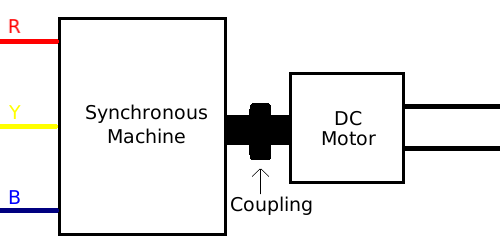
Select connections and switch ON to start.